Every container your business ships in, in one list
The Containers screen lists every container type available to your account, with the numbers loaders and planners actually need: group, ISO size, inside dimensions, volume, maximum payload and clearances.
Containers are shared with everyone on your account, so a size added once by one planner is instantly available to the rest of the team.
- Group containers (Dry, Reefer, or your own custom groups) so the picker stays organized as your list grows.
- See inside L×W×H, computed volume and max payload at a glance, without opening each one.
- Add container and Manage groups are always one click away from the list.
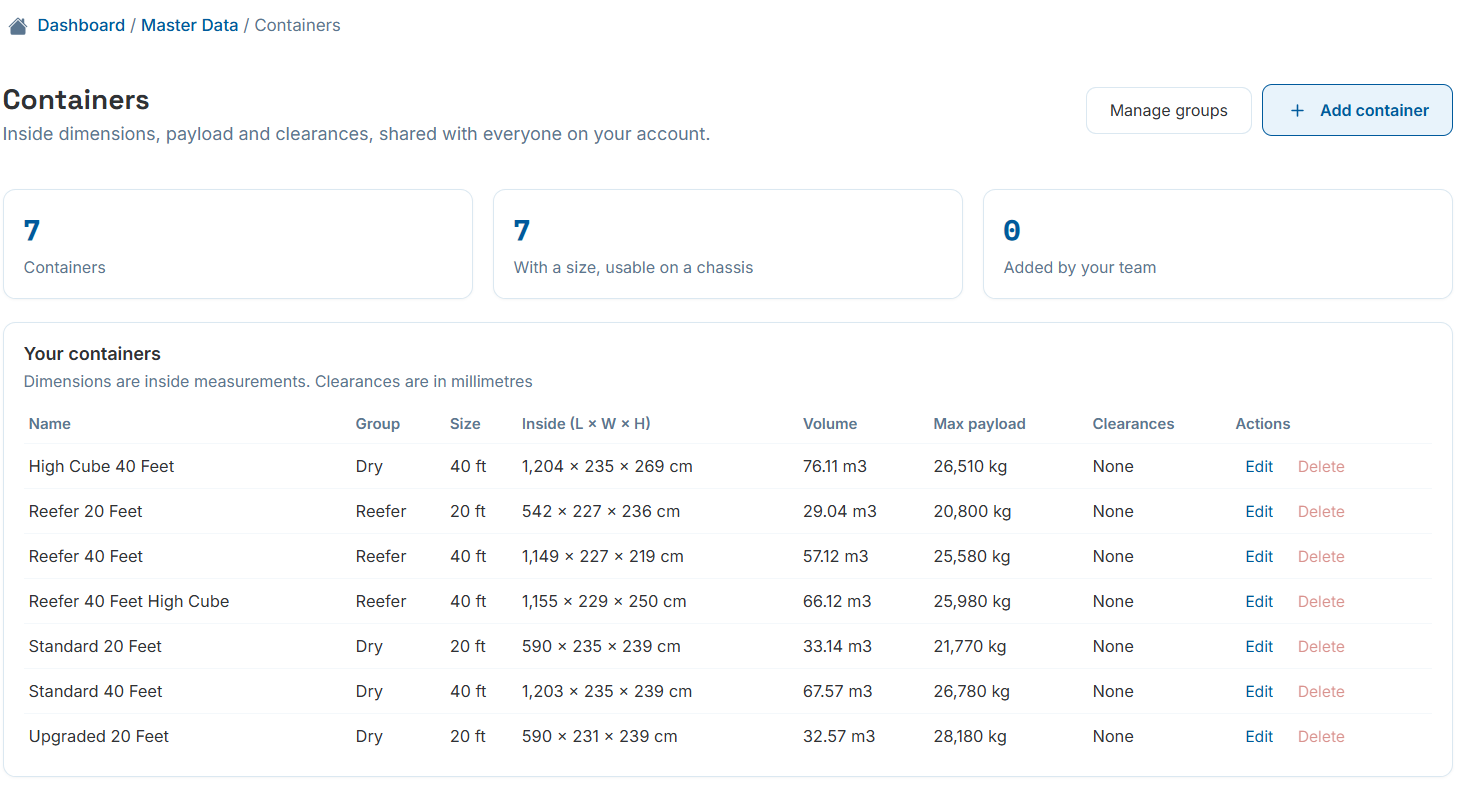
Master Data › Containers — your account's shared container library.
Dimensions in, usable volume out
Adding a container takes the numbers straight off the spec sheet: a name, a group, an optional ISO size, and inside length, width and height in your unit of choice. Volume is calculated for you the moment you enter dimensions.
ISO size matters beyond labelling — setting it means a skeletal-chassis truck built for that size will only offer matching containers on the calculation screen, so nobody accidentally tries to load a 45 ft box onto a 40 ft chassis.
- Payload is the cargo weight the container is rated to carry, not its gross weight.
- On a truck, the vehicle's own weight limits also apply — whichever figure is lower wins automatically.
- Leave ISO size empty for a trailer body or a custom box that isn't tied to a specific chassis.
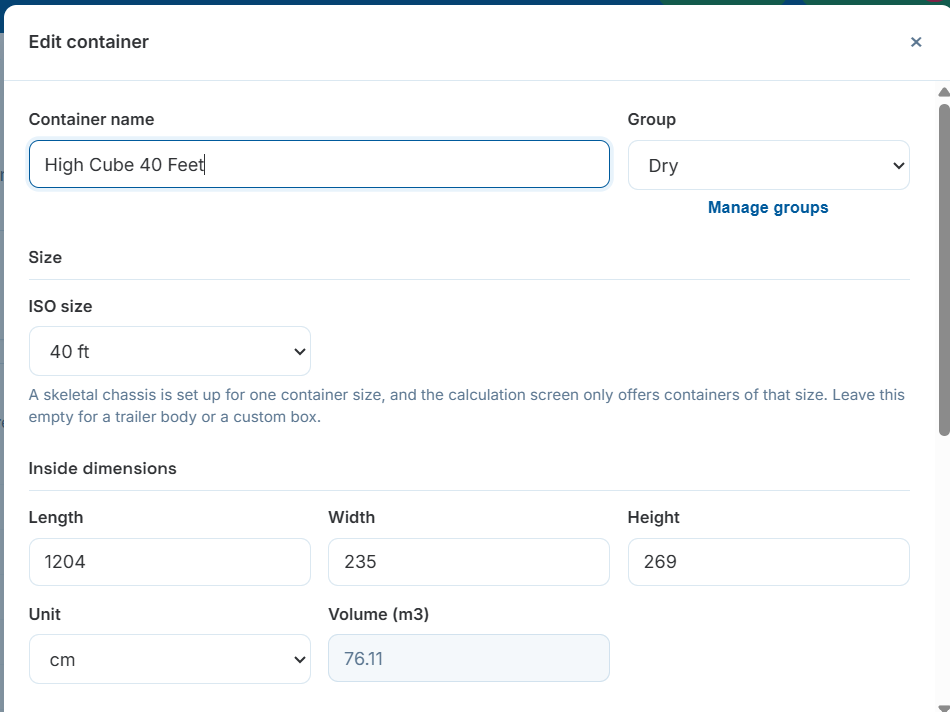
Naming, sizing and grouping a container.
Real usable space, not just the spec sheet number
Doors, bracing, refrigeration units and internal fittings all eat into a container's nominal size. Clearance to leave — on the closed end, the door end, left, right and top — is entered once in millimetres and applied to every calculation that uses this container.
Cargo Load Planner immediately shows the resulting space left for cargo and usable volume, so what you see in master data is what the engine will actually try to fill.
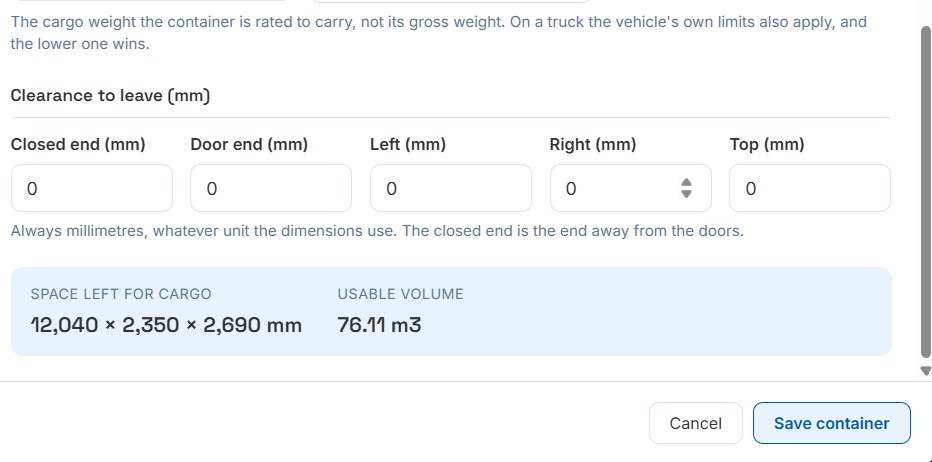
Clearances translate straight into usable cargo space and volume.